Web Accessibility and SEO: What You Need to Know in 2026


TL;DR:
- Web accessibility and SEO share a foundational focus on semantic structure, descriptive content, and user-friendly navigation that benefit both users and search engines.
- Improving accessibility, such as using proper headings and alt text, leads to higher rankings, increased organic traffic, and better engagement signals in search algorithms.
Web accessibility is defined as the practice of designing websites so that people with disabilities, and search engine crawlers, can perceive, navigate, and interact with content without barriers. The role of web accessibility in SEO is direct: accessible sites use semantic HTML, descriptive alt text, and logical heading structures that Google's crawlers read the same way screen readers do. A Semrush audit of 10,000 sites found that accessible websites ranked for 27% more keywords than less accessible ones. That single finding reframes accessibility from a compliance checkbox into a measurable growth lever. Tools like Google Search Console, Level Access, and accessiBe sit at the center of this overlap, and understanding how they connect gives SEO professionals a concrete edge in 2026.
How web accessibility improvements directly support SEO performance
Semantic HTML and accessibility overlap at the foundation of every well-ranked page. When you use proper heading hierarchy (H1 through H3), HTML5 landmark elements like "<nav>, <main>, and <footer>`, and descriptive link text, you give both screen readers and Googlebot a clear content map. Search engines reward that clarity through better crawlability and more accurate indexing. Accessible web design is not a parallel track to SEO. It is the same track.

Alt text and image search
Descriptive alt attributes do two jobs simultaneously. They tell visually impaired users what an image contains, and they give Google's image indexing system the text signal it needs to rank that image in search results. A generic alt="image1.jpg" fails both audiences. A specific alt="pediatric dentist examining child's teeth in clinic" serves both. The SEO and accessibility win here is identical.
Keyboard navigation and engagement signals
Keyboard accessibility requires all site functions to be operable without a mouse, with no focus traps, a logical tab order, and visible focus indicators per WCAG criteria. For SEO, this matters because users who cannot navigate your site leave immediately. High bounce rates and low dwell time are engagement signals that correlate with lower rankings. Fix keyboard navigation and you reduce abandonment for a segment of users that represents roughly 26% of American adults living with some form of disability.Metadata, captions, and content comprehension
Clear page titles, descriptive meta descriptions, and video captions improve how both users and search engines understand your content. Captions make video content indexable as text. Descriptive metadata improves click-through rates from search results pages. These are not accessibility-only wins. They are SEO fundamentals that accessibility reinforces at every level.
Pro Tip: Run a heading structure audit on your top 10 organic pages using a free tool like the HeadingsMap browser extension. If your H2s and H3s do not follow a logical hierarchy, fix them. That single change improves both screen reader navigation and Google's ability to understand your page structure.
Google's Core Web Vitals and Page Experience signals reward sites that load fast, respond to input quickly, and maintain visual stability. Accessible design practices, such as avoiding content that shifts on load and providing clear interactive targets, directly support Cumulative Layout Shift (CLS) and Interaction to Next Paint (INP) scores. The overlap is not coincidental. It reflects Google's stated goal of rewarding pages that work well for real users.
What are the biggest misconceptions about accessibility and JavaScript SEO?
The most persistent misconception is that accessibility testing means disabling JavaScript to see what Google crawls. Google removed the accessibility subsection from its JavaScript SEO documentation in 2026 because that guidance was outdated. Google now fully renders JavaScript before indexing, so a JS-disabled view no longer represents what Googlebot actually sees.
"Accessibility is not primarily about making JavaScript crawlable by search engines. It is about ensuring that users, including those relying on assistive technologies, can actually operate your site." This distinction matters because conflating the two leads teams to optimize for the wrong outcome.
The practical implication is significant. Assistive technologies like JAWS, NVDA, and VoiceOver have evolved to handle JavaScript-rendered content well. The real accessibility challenge on JS-heavy sites is not whether Google can read the content. It is whether ARIA roles are correctly applied, whether focus management works after dynamic updates, and whether interactive components are operable by keyboard. Those are user-facing problems, not crawler problems.
Google Search Console's URL Inspection tool is now the correct method for checking what Google renders on any given page. Use it instead of disabling JavaScript in your browser. For actual accessibility testing, pair it with manual keyboard navigation and a screen reader test using NVDA (free, Windows) or VoiceOver (built into macOS and iOS).
AI crawlers from Perplexity, ChatGPT, and Claude handle JavaScript differently than Googlebot, and their rendering capabilities vary. For sites targeting visibility in AI-driven search results, the safest approach is to ensure critical content is available in the initial HTML response and that semantic structure is correct regardless of rendering environment. This is where accessibility and AI search optimization converge most directly in 2026.
How to integrate accessibility best practices into your SEO workflow
Accessibility should be treated as an ongoing quality assurance practice, not a one-time audit. Combining automated scans with manual testing catches the widest range of issues. Automated tools find roughly 30 to 40% of accessibility problems. Manual testing finds the rest, particularly focus traps and illogical tab orders that no scanner detects.
Here is a practical workflow for SEO professionals:
- Run an automated baseline audit. Use tools like Axe DevTools, WAVE, or Babylovegrowth's AI SEO audit to identify structural issues including missing alt text, improper heading hierarchy, and low color contrast.
- Test keyboard navigation manually. Unplug your mouse or disable your trackpad. Tab through every page you are auditing. Check that focus indicators are visible, that no element traps your cursor, and that interactive components like dropdowns and modals open and close correctly.
- Audit heading structure and semantic HTML. Confirm that every page has exactly one H1, that H2s represent major sections, and that HTML5 landmarks are present. Use the SEO audit workflow guide from Babylovegrowth to build this into your regular maintenance cycle.
- Check metadata and alt text at scale. Export a crawl from Screaming Frog or Sitebulb and filter for missing or duplicate title tags, meta descriptions, and alt attributes. Prioritize high-traffic pages first.
- Track engagement metrics after fixes. Monitor bounce rate, average session duration, and pages per session in Google Analytics 4 for pages where you implemented accessibility improvements. Organic traffic and ranking changes typically follow within 60 to 90 days.
Pro Tip: Collaborate with your development team to add accessibility checks to your CI/CD pipeline using Axe-core. Catching issues before deployment costs a fraction of the time and effort required to fix them post-launch.
Proper semantic HTML markup, including heading hierarchy, alt attributes, and clear link text, is foundational for both screen reader accessibility and SEO-friendly structure. When content teams and developers share this understanding, accessibility improvements happen consistently rather than reactively. Build a shared style guide that covers heading use, image alt text standards, and link text requirements. That document serves both your accessibility compliance goals and your SEO content strategy simultaneously.
Accessibility features compared to their SEO benefits
No direct WCAG accessibility score is used by Google as a ranking factor. Google's John Mueller has confirmed this. But the indirect benefits are well-documented and measurable. Accessible sites showed on average a 23% increase in organic traffic compared to less accessible counterparts in the same Semrush study. That correlation exists because accessibility improvements strengthen the exact technical and engagement signals Google does use for ranking.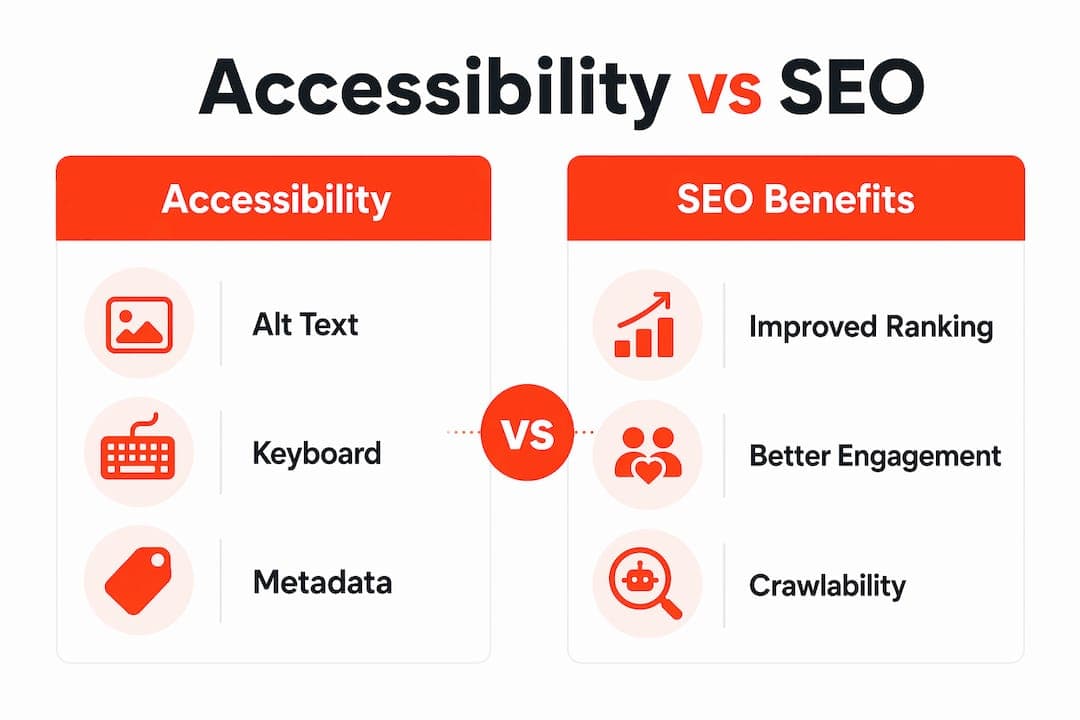
| Accessibility feature | SEO benefit |
|---|---|
| Descriptive alt attributes on images | Improves image search indexing and provides keyword context for page relevance |
| Logical heading hierarchy (H1 to H3) | Signals content structure to Googlebot and improves featured snippet eligibility |
| Keyboard-navigable menus and links | Reduces bounce rate and supports operability signals tied to Page Experience |
| Video captions and transcripts | Creates indexable text content from multimedia, expanding keyword coverage |
| Descriptive meta titles and link text | Improves click-through rates from SERPs and clarifies page purpose for crawlers |
The WCAG guidelines that map most directly to SEO improvements are Success Criteria 1.1.1 (non-text content, covering alt text), 1.3.1 (info and relationships, covering semantic HTML), and 2.4.6 (headings and labels, covering descriptive heading text). Prioritizing these three criteria gives you the highest combined return on accessibility compliance and search performance. The intersection of accessibility and SEO is not theoretical. It is measurable at the page level.
Key takeaways
Web accessibility and SEO share the same technical foundation: semantic structure, descriptive content, and navigable interfaces that serve both users and search engines.
| Point | Details |
|---|---|
| Accessibility drives organic growth | Accessible sites rank for 27% more keywords and see 23% more organic traffic on average. |
| Semantic HTML serves two masters | Proper heading hierarchy and HTML5 landmarks improve both screen reader navigation and Googlebot crawlability. |
| JavaScript misconception is resolved | Google fully renders JS in 2026; use URL Inspection tool instead of JS-disabled tests for SEO checks. |
| Manual testing is non-negotiable | Automated scans catch 30 to 40% of issues; keyboard and screen reader tests find the rest. |
| WCAG criteria map to ranking signals | Criteria 1.1.1, 1.3.1, and 2.4.6 deliver the highest combined SEO and accessibility return. |
Why I think most SEO teams are leaving real gains on the table
Most SEO professionals treat accessibility as a legal risk to manage rather than a performance variable to optimize. That framing is expensive. In my experience reviewing site audits, the pages with the worst engagement metrics almost always have the same structural problems: missing alt text, broken heading hierarchies, and menus that are impossible to navigate without a mouse. These are not edge cases. They are patterns that affect every user, not just those using assistive technology.
The 2026 update to Google's JavaScript SEO documentation is a signal worth paying attention to. Google is telling the industry to stop using accessibility as a proxy for crawlability and start treating it as a user experience standard in its own right. That shift has implications beyond SEO. Brands that build accessible sites earn trust from a broader audience, reduce legal exposure under the ADA and WCAG standards, and create content that AI search engines can parse more reliably.
My practical advice: start with the three WCAG criteria that overlap most directly with ranking signals, build accessibility checks into your regular audit cycle, and measure the engagement impact on pages you fix. The data will make the case for deeper investment better than any compliance argument ever will. The teams winning in organic search in 2026 are not the ones with the most backlinks. They are the ones whose sites work for every user who lands on them.
— MEET
How Babylovegrowth helps you align SEO and accessibility
Babylovegrowth's AI-powered platform includes a technical AI SEO audit tool that surfaces structural issues including missing alt text, heading hierarchy problems, and metadata gaps that affect both accessibility compliance and search rankings. The platform also includes a keyword discovery tool that identifies content opportunities aligned with accessible content themes, helping you build topical authority while serving a wider audience. For SEO professionals who want to stop treating accessibility as an afterthought and start using it as a measurable growth driver, Babylovegrowth provides the automated and manual workflow support to make that shift practical and scalable.
FAQ
Does web accessibility directly improve Google rankings?
No direct WCAG score is used as a Google ranking factor, but accessibility improvements strengthen crawlability, engagement metrics, and Page Experience signals that Google does use for ranking.
What is the best tool to check what Google renders on my site?
Google Search Console's URL Inspection tool is the correct method for verifying what Googlebot renders, replacing the outdated practice of disabling JavaScript to test content visibility.
Which WCAG criteria have the biggest SEO impact?
Success Criteria 1.1.1 (alt text), 1.3.1 (semantic HTML), and 2.4.6 (descriptive headings) deliver the highest combined return for both accessibility compliance and search engine optimization.
How does keyboard navigation affect SEO?
Keyboard-navigable sites reduce bounce rates and improve dwell time for users who cannot use a mouse, and these engagement signals correlate with stronger search rankings over time.
How often should I audit my site for accessibility and SEO issues?
Accessibility should be treated as ongoing QA, combining automated scans after each deployment with quarterly manual keyboard and screen reader tests to catch issues automation misses.